Google Calendar inside Telegram
Just speak — your meeting is scheduled
- 1Chat or voice → event created instantly
- 2No apps. No forms.
- 3Works directly in Telegram
How it works
Send a message
Type or send a voice note in Telegram — no forms, no taps.
AI understands
GPT parses your intent, date, time, and attendees instantly.
Event created
Confirmed in Google Calendar and visible immediately.
What you can say to Calendar Assistant
Just talk or type in Telegram — no forms, no clicks.
Team standup tomorrow at 10am, add Google Meet link
Done! Event created with Meet link for tomorrow 10:00 AM
Coffee with Alex on Friday at 2pm, send him an invite
Got it! Invite sent to alex@email.com · Friday 2:00 PM
Move my Monday 2pm meeting to Tuesday same time
Done! Meeting moved to Tuesday 2:00 PM
“The voice recognition is flawless. I just tell Calendar Assistant I have a meeting at 3 PM tomorrow while I'm driving, and it's already on my calendar before I park.”

“Finally an AI that actually understands context. Multi-language support is a game changer for my international team coordination.”

 "Schedule a meeting"
 "Termin planen"
 "Programar reunión"
 "Agendar reunião"
 "Planifier une réunion"
Speak naturally, in any language
Calendar Assistant is powered by OpenAI Whisper and GPT-5.4, so it can understand and respond to your voice in any language. Send a voice note or type a message — create, reschedule, or delete events just by asking.
How to Get Started
Open Telegram
Go to https://t.me/link10031991post_bot and open the chat.
Send /start
The bot greets you and shows a button to connect your Google Calendar. Tap it and authorize access.
Set your timezone
Send /timezone followed by your region, e.g. /timezone Europe/Madrid, so events land at the right local time.
Start scheduling
Just talk or type — "Add a meeting tomorrow at 2pm" or send a voice message. That's it.
Bot Commands
/startInitializes the bot and shows your Google Calendar connection status. If not connected, provides a direct link to authorize access.
/timezone Europe/MadridSets your IANA timezone so all events are scheduled at the correct local time. Pass any valid IANA identifier as the argument.
/dayShows all events and video calls scheduled for today.
/tomorrowShows all events and video calls scheduled for tomorrow.
/weekShows all events and video calls for the current week (Monday–Sunday).
/nextweekShows all events and video calls for next week.
/monthShows all events and video calls for the current calendar month.
/nextmonthShows all events and video calls for the next calendar month.
Simple, transparent pricing
One plan. Full access. Paid with Telegram Stars.
Pro
Everything included.
- Google Calendar integration
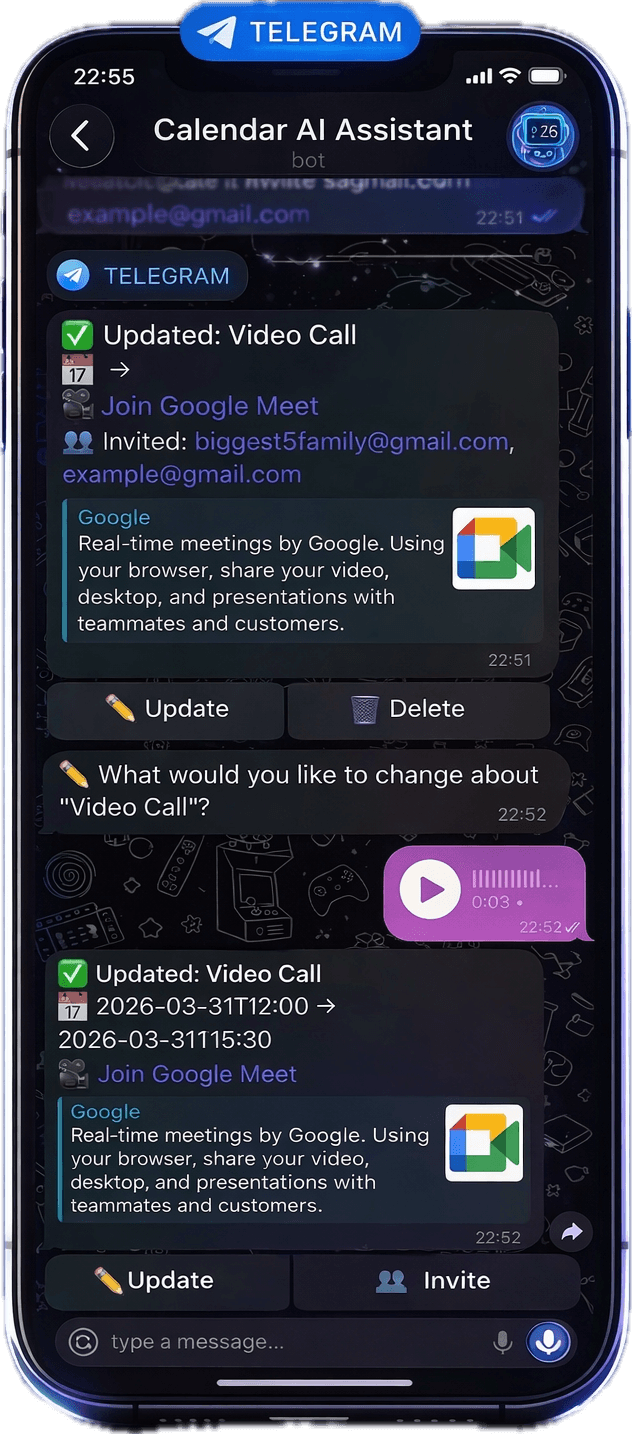
- Google Meet video calls
- Email invites for attendees
- Voice & text messages
- Smart context & memory
- Auto-reminders
- Quick action buttons
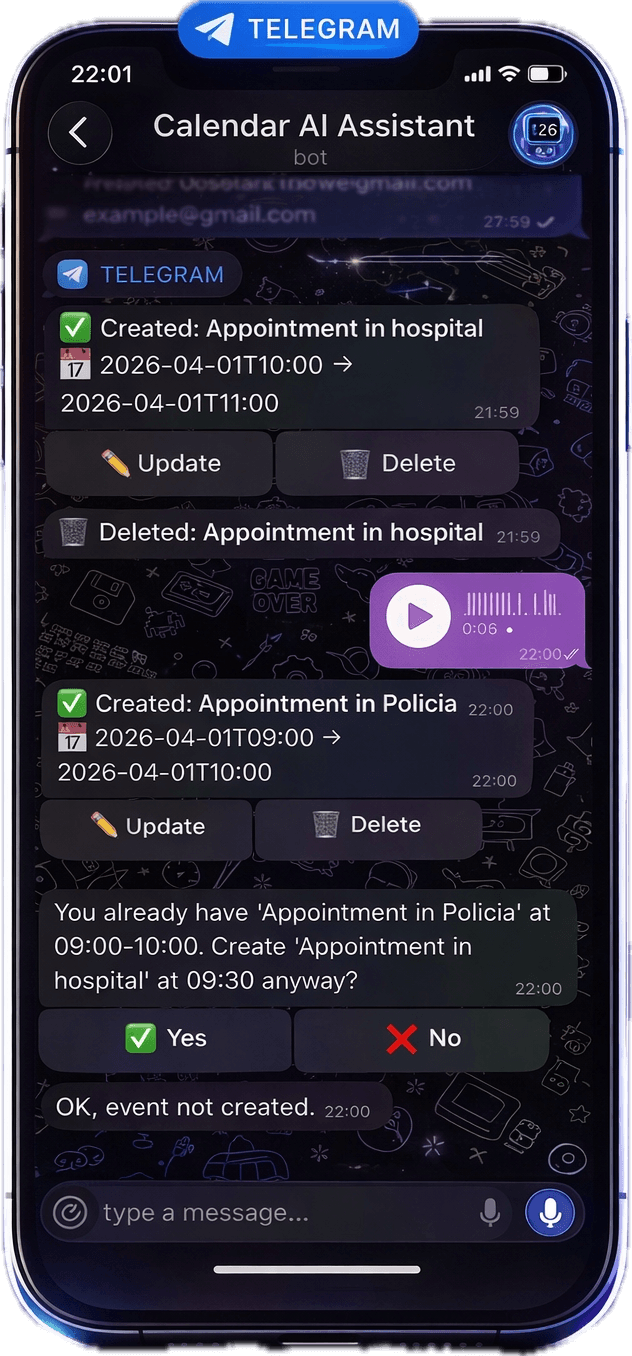
- Conflict detection & confirmation
🎁 First 5 interactions are free — no payment needed to get started.
⭐ Telegram Stars are purchased inside the Telegram app. No card required.
Frequently asked questions
Everything you need to know about Calendar Assistant.
Stop opening Google Calendar. Just message.
Join 10,000+ professionals who schedule hands-free — by voice or text, directly in Telegram.
⚡ Setup takes less than 20 seconds · No credit card